
Corporate Training Made Easy: Explore the Best 5 Authoring Tools
Corporate training has evolved significantly over the years, with companies constantly seeking innovative and effective ways to educate their employees. One of the key elements in modern corporate training is eLearning, which provides a flexible and scalable approach to employee development.
To create engaging and interactive eLearning courses, organizations turn to authoring tools. These tools make the process of course creation easier and more efficient. In this blog post, we will explore the best five authoring tools that can simplify corporate training and enhance the learning experience.
1. Simplified eLearning Content Creation: Authoring Tools for eLearning Success
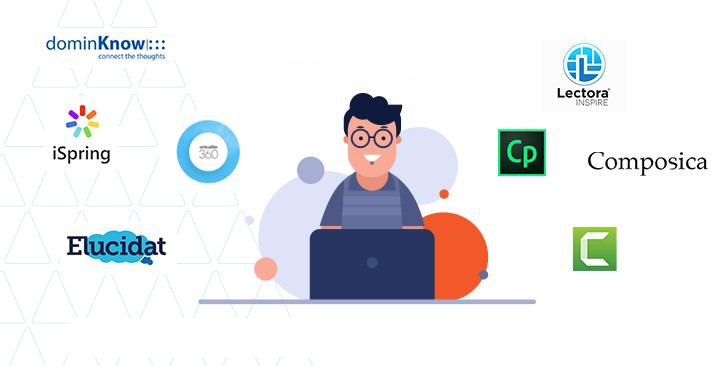 Authoring tools are software applications that facilitate the creation of eLearning content, such as courses, quizzes, and simulations. They provide a user-friendly interface and often require little or no coding knowledge, making them accessible to instructional designers and subject matter experts. Authoring tools are equipped with a wide range of features to design, develop, and deliver eLearning materials effectively.
2. Corporate Training Success: The Crucial Role of Authoring Tool Selection

Selecting the right authoring tool for your corporate training needs is crucial. The choice impacts the quality of the training material, the ease of development, and the overall training experience. Here are some factors to consider when choosing an authoring tool:
2.1 Ease of Use: Look for tools with an intuitive user interface that doesn’t require extensive technical skills. This will enable your team to create content more efficiently.
2.2 Interactivity: Modern eLearning is all about engagement. Choose tools that offer interactive elements like quizzes, simulations, and branching scenarios.
2.3 Compatibility: Ensure that the authoring tool is compatible with the Learning Management System (LMS) you’re using to deliver courses. Compatibility issues can lead to technical challenges.
2.4 Customization: Different organizations have unique training needs. Select a tool that allows you to customize the look and feel of your courses to align with your brand.
2.5 Scalability: As your training program grows, you’ll need a tool that can scale with you. Consider tools that offer cloud-based solutions or are designed for enterprise-level use.
3. eLearning Toolkit: Your Roadmap for Swift Corporate Training Success
Now that we’ve outlined what to look for in an authoring tool, let’s explore five of the best options available.
3.1 Articulate Storyline 360
Articulate Storyline 360 is a comprehensive eLearning authoring tool that offers a suite of applications to create engaging courses. It includes popular software like Rise 360 and Review 360.
Articulate Storyline 360 is known for its flexibility in creating interactive courses with advanced animations and triggers, while Rise 360 focuses on responsive design, making it perfect for mobile learning. Review 360 facilitates collaboration among team members and stakeholders for course review and share feedback.
Articulate Storyline 360 also provides a vast library of templates and assets, making it easier to create visually appealing content. The subscription-based model ensures you receive regular updates and support, keeping your eLearning materials up-to-date.
3.2 Adobe Captivate
Adobe Captivate is a powerful eLearning authoring tool that offers a wide range of features for creating interactive and responsive courses. It’s known for its versatility in designing simulations and software demonstrations. Captivate integrates seamlessly with other Adobe products like Photoshop and Illustrator, allowing you to leverage these tools for graphics and multimedia.
One standout feature of Adobe Captivate is its ability to create virtual reality (VR) and augmented reality (AR) experiences, making it ideal for organizations looking to incorporate immersive learning into their training programs.
3.3 Lectora
Lectora is another notable eLearning authoring tool that offers a comprehensive set of features for course development. It’s known for its ease of use and the ability to create responsive and accessible eLearning content.
Lectora provides a range of templates and interactions to speed up the course creation process. One of the standout features of Lectora is its support for web accessibility standards, making it an excellent choice for organizations that prioritize inclusive eLearning. It also supports various multimedia formats and integrates with Learning Management System (LMS) for seamless course deployment and tracking.
Lectora’s user-friendly interface allows both instructional designers and subject matter experts to collaborate on course development, streamlining the content creation process.
3.4 iSpring Suite
iSpring Suite is a user-friendly authoring tool that integrates seamlessly with PowerPoint. This makes it an excellent choice for those already familiar with PowerPoint’s interface. iSpring Suite adds eLearning functionality to PowerPoint, allowing you to create interactive courses, quizzes, and assessments.
One of its standout features is the ability to convert PowerPoint presentations into SCORM-compliant eLearning courses, making it easy to repurpose existing content for online training. iSpring Suite also offers a range of interactive templates and a built-in LMS for course management.
3.5 Elucidat
Elucidat is a cloud-based authoring tool designed for creating responsive and adaptive eLearning content. It places a strong emphasis on collaboration and scalability, making it suitable for large organizations. Elucidat offers a user-friendly interface and a library of customizable templates to speed up course development.
One of Elucidat’s strengths is its analytics and reporting capabilities, which provide insights into learner progress and engagement. This data-driven approach allows organizations to refine their training materials for better results.
Conclusion
 Selecting the right authoring tool for your corporate training needs is a critical decision. Each of the five authoring tools mentioned above has its unique strengths, catering to various preferences and requirements. Whether you prioritize ease of use, interactivity, or scalability, there’s likely an authoring tool that aligns with your organization’s training goals.
Remember that the success of your corporate training program doesn’t solely depend on the authoring tool you choose. It also hinges on the quality of content, instructional design, and engagement level of your learners. Therefore, while these tools can significantly simplify the course creation process, it’s essential to invest time and effort into designing effective and learner-centric training materials.
Before making a final decision, consider conducting a pilot test with a few selected tools to determine which one best suits your organization’s unique needs and objectives. With the right authoring tool in your arsenal, you can streamline your corporate training efforts and empower your workforce with the knowledge and skills they need to succeed.
Frequently Asked Questions (FAQs)
1. What are authoring tools for corporate training?
Authoring tools are software applications designed to create eLearning content such as courses, quizzes, and simulations. They simplify the course creation process, making it accessible to instructional designers and subject matter experts without extensive coding knowledge.
2. Why is choosing the right authoring tool important?
Selecting the right authoring tool is crucial because it impacts the quality of training materials, ease of development, and the overall learning experience. The right tool can streamline the process, increase engagement, and align with your organization’s unique training needs.
3. What is Articulate 360?
Articulate 360 is a comprehensive suite of eLearning authoring tool-, including Storyline, Rise 360, and Review 360. These tools offer flexibility, interactivity, and collaboration features, making it a popular choice for creating engaging corporate training content.
4. How does Adobe Captivate stand out?
Adobe Captivate is known for its versatility in creating simulations and software demonstrations. It also offers integration with other Adobe products and the ability to develop virtual reality (VR) and augmented reality (AR) experiences for immersive learning.
5. What is Moodle, and how does it differ?
Moodle is an open-source Learning Management System (LMS) with built-in authoring tools. While it may not have the same sophistication as dedicated authoring tools, it provides a cost-effective all-in-one solution for course creation and management.
6. What is iSpring Suite’s unique feature?
iSpring Suite seamlessly integrates with PowerPoint, allowing users to create interactive eLearning courses directly within the familiar PowerPoint interface. It simplifies the conversion of presentations into SCORM-compliant courses.
7. What are Elucidat’s strengths?
Elucidat is a cloud-based authoring tool that emphasizes collaboration and scalability. It offers a user-friendly interface, customizable templates, and robust analytics and reporting, enabling organizations to refine their training materials based on learner insights.


Leave a Reply
Want to join the discussion?Feel free to contribute!